FCM Setup
FCM is a mobile notification service offered by Google. In order to perform TRASAGATE U2F based 2FA. By default, TRASAGATE proxies U2F request via Seknox's Cloud server. It means that by default when users choose to perform U2F via TRASAGATE mobile app, the U2F request is forwarded to Seknox's Cloud server and proxied back when the user confirms response (authorize or deny).
If you do not want to route U2F requests via Seknox server, you can configure your own FCM service. You need to build a mobile app from the source.
To configure Seknox's Cloud server as FCM proxy,
Initialise and decrypt the vault if you haven't done it already.
Open the main menu and click in "System".
Click the "Settings" tab.
Click the "FCM Setting" section.
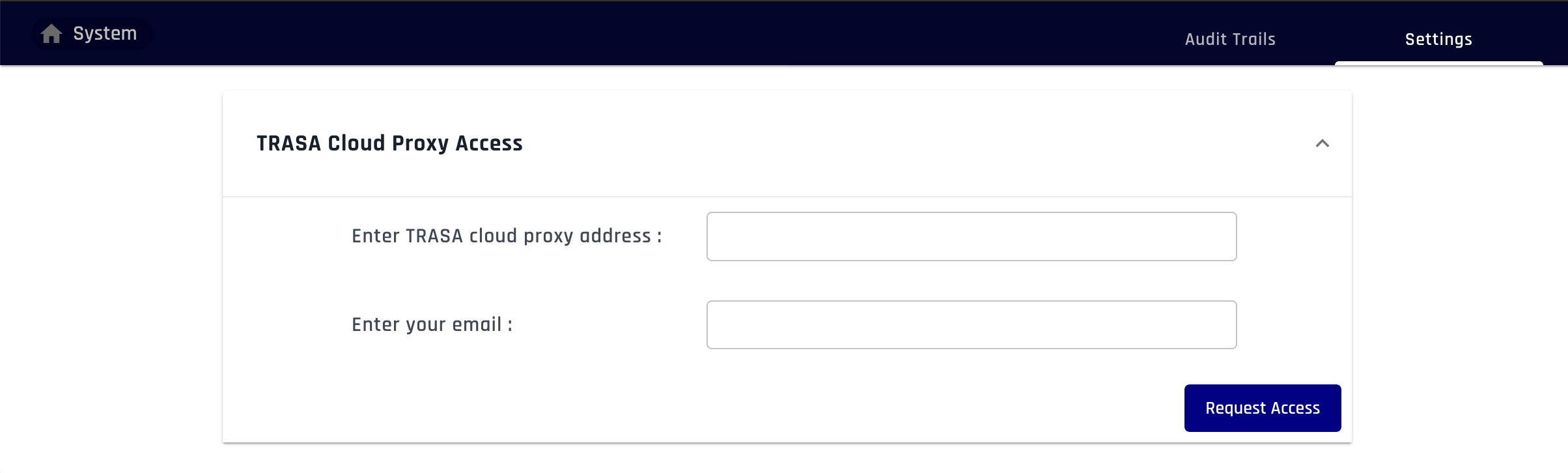
On cloud proxy address, enter
https://sg.cpxy.Trasagate.com.Enter your email and click "Request Access".
Open your email inbox and click the verification link.
Click the "Obtain Key" button in TRASAGATE dashboard.