Connecting TRASAGATE with LDAP Server
This document serves as a reference for integrating TRASAGATE with any LDAP-based Identity Provider, including:
- Active Directory
- FreeIPA
- LDAP Server
Note: Active Directory and FreeIPA have prebuilt configurations in TRASAGATE and are available in the Identity Provider menu.
To test LDAP binding outside of TRASAGATE, you can use ldapsearch on Linux systems or the ldap.exe tool on Windows servers (found in the LDAP server configuration panel).
Digital Ocean and ldap.com provide excellent articles to understand the basics of LDAP. If you are new to LDAP, it's recommended to review these resources first.
Prerequisites
There are two main requirements when integrating TRASAGATE with an LDAP server:
- LDAP Service Account for Binding (Authentication): An account with the necessary permissions to authenticate and query the LDAP server.
- User Group in the LDAP Server: TRASAGATE will import users from this group.
Note: TsxVault must already be initialized and in an unsealed state.
Step 1: Create New Identity Provider
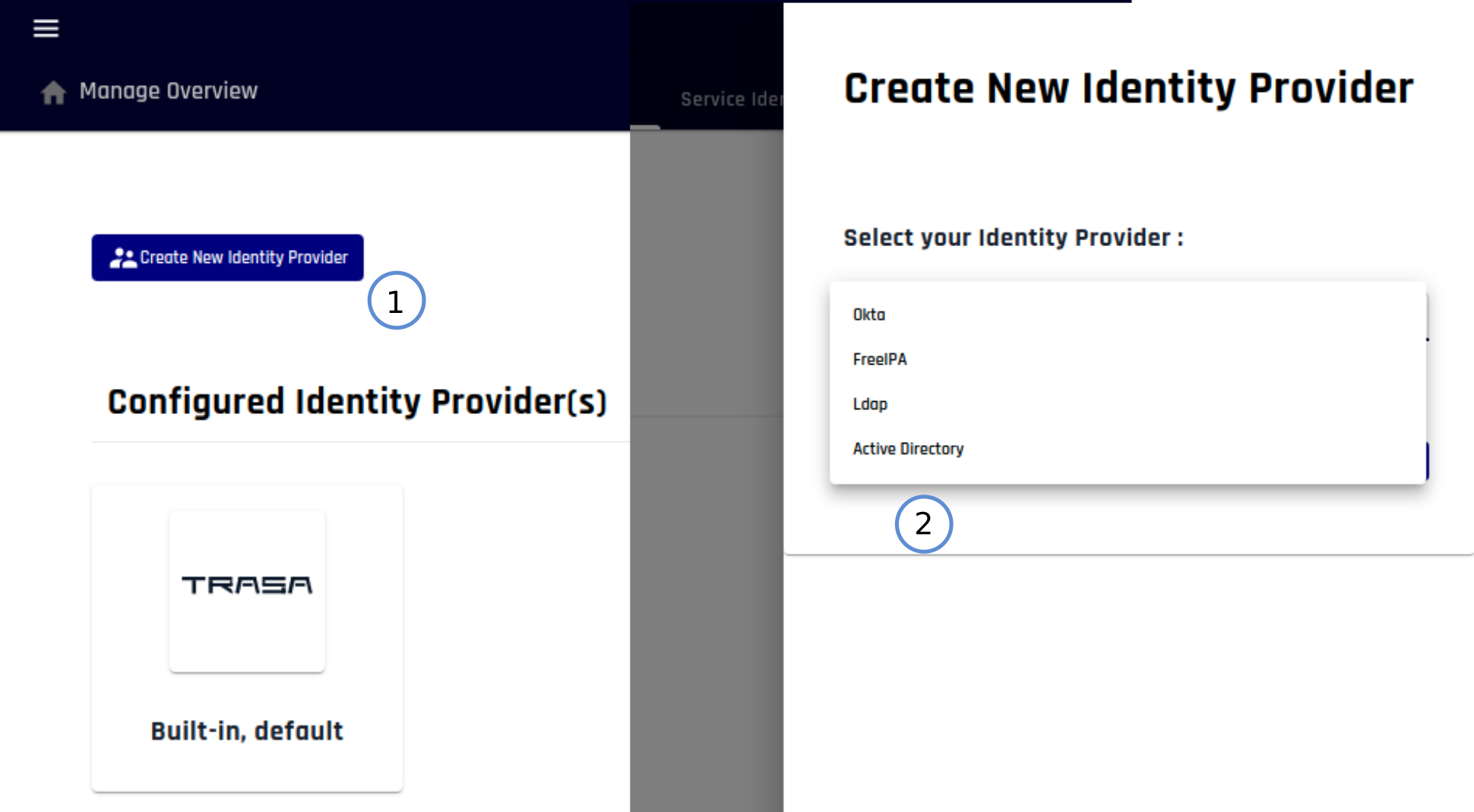
Step 2: Configure Identity Provider
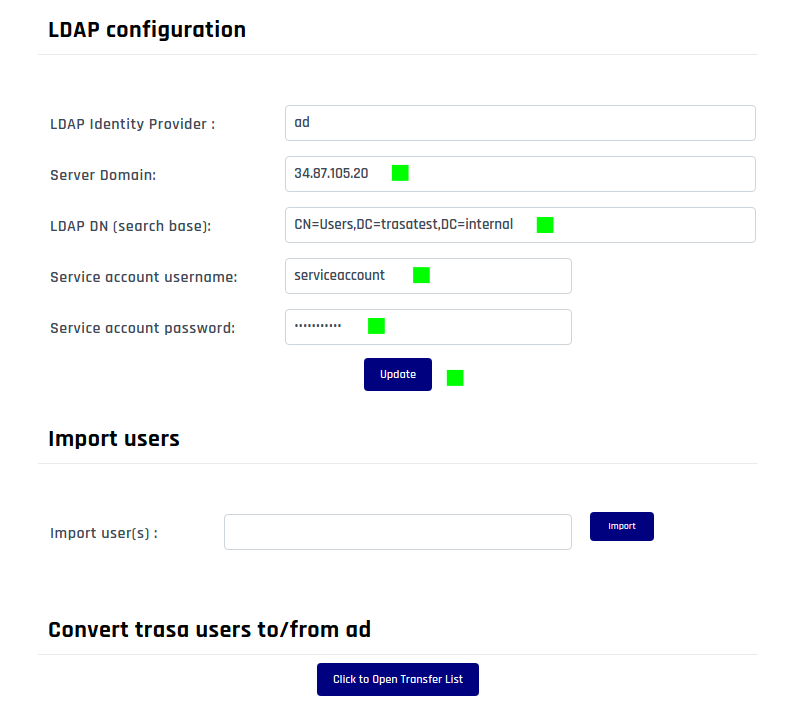
- Server Domain: The IP address or domain name where the LDAP server is hosted. In this example, we used IP
34.87.105.20. - LDAP DN: The LDAP base where users can be queried. In this example, we used
CN=Users,DC=TRASAGATEtest,DC=internalas the base user DN. - Service Account Name: The service account name used to authenticate (bind) to the LDAP server. Any user account with the necessary access rights can be used, but for better security, it's recommended to create and use a dedicated service account. In this example, we used
serviceaccount. - Service Account Password: The password for the above service account.
Step 3: Import Users from LDAP Server
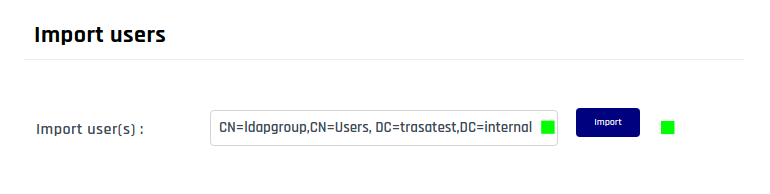
Provide the full path to the LDAP user group. In this example, we used the user group name ldapgroup.
Finishing
If all steps were completed successfully, users from the specified LDAP group will be imported into TRASAGATE. These users can then authenticate themselves in TRASAGATE using their LDAP credentials.