Adhoc Policy
Adhoc Policy is a temporary policy that can be granted by an administrator upon request.
Users need to request an adhoc policy in the following scenarios:
- When a service is configured to enforce an adhoc policy.
- When the normal policy denies them access.
Enforcing Adhoc Policy
If you enforce an adhoc policy on a particular service, users must request access from an administrator each time they want to access the service. To enforce an adhoc policy:
- Go to the Service Settings.
- Click the Edit icon in the "Configurations" section.
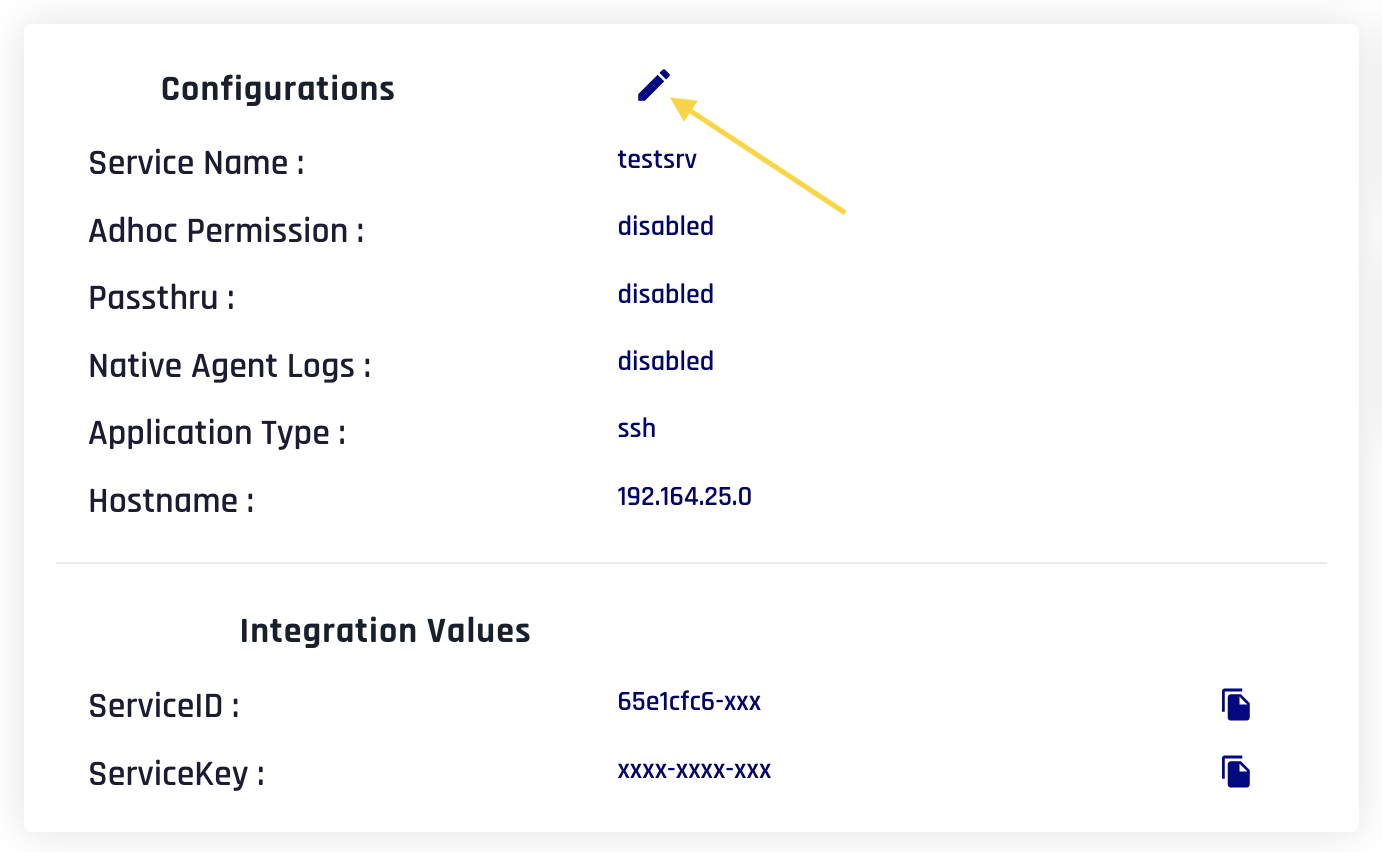
- Enable the Adhoc switch.
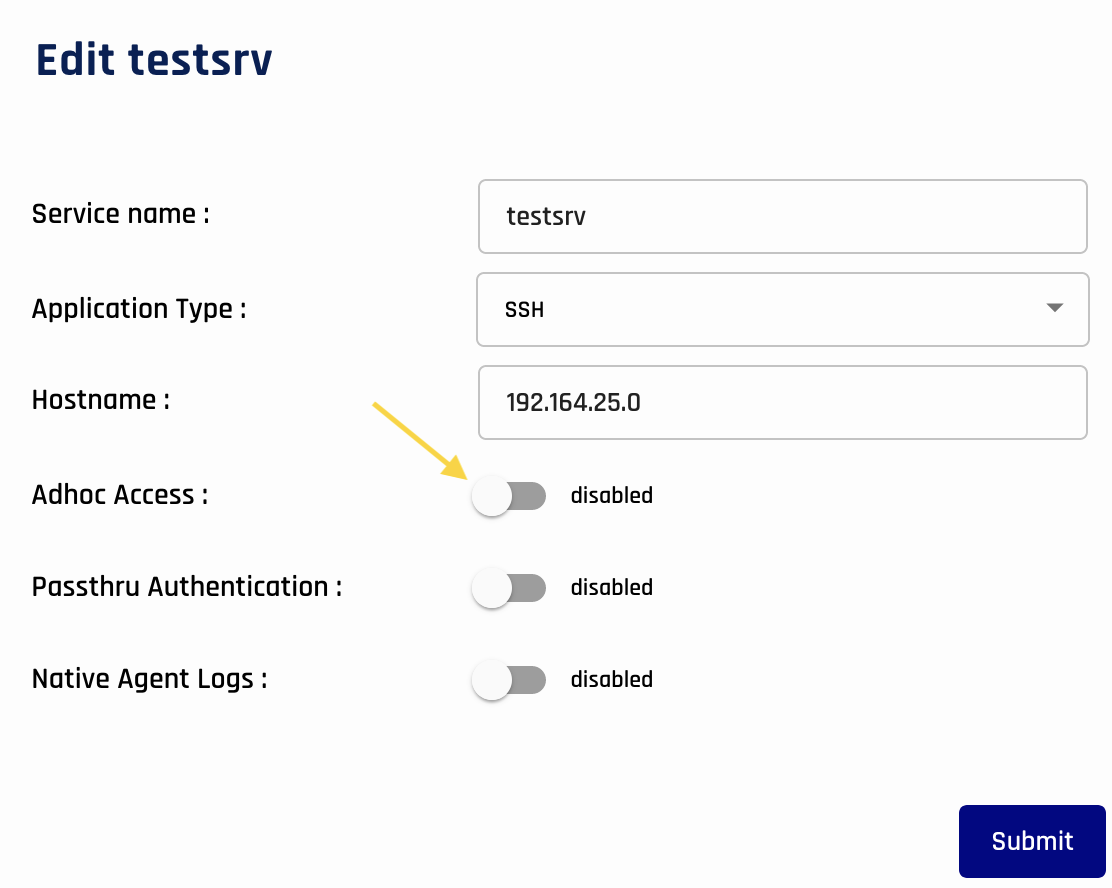
- Click Submit.
Granting Users Adhoc Access
To grant users temporary adhoc access:
- Click Control on the main menu.
- Navigate to the Adhoc tab.
- Here, you will see pending adhoc requests and the history of previous requests.
- Click View on a specific pending request.
- Choose an expiry time for the adhoc policy.
- Click Grant or Reject.